AI audio post-production for video
Published November 2026 · Updated November 26, 2026
Upload a cut and get its sound back finished: music, effects and foley on their moments, the voices clear, at your loudness.
Your first film score is free: sign up with a verified email and it is on us, up to 300 credits.
Through the studio
Tears of Steel (2012). Wind on the tower, a jacket and a rifle set down on the stone, boots on the railing, a sleeping bag, lab coats, clamps and servos, the robots' stomps, their crash and the debris, each generated for the picture and placed on its moment, with no music. The foley page Picture: (CC) Blender Foundation, mango.blender.org, CC BY 3.0. Its own sound removed; every sound you hear was generated for it.
Tears of Steel (2012). Wind, a rifle rack, drones, clamps, servos, a riser, the robots' crash, their stomps and a blast, each generated for the picture and placed on its moment, with two orchestral cues underneath. The sound-effects page Picture: (CC) Blender Foundation, mango.blender.org, CC BY 3.0. Its own sound removed; every sound you hear was generated for it.
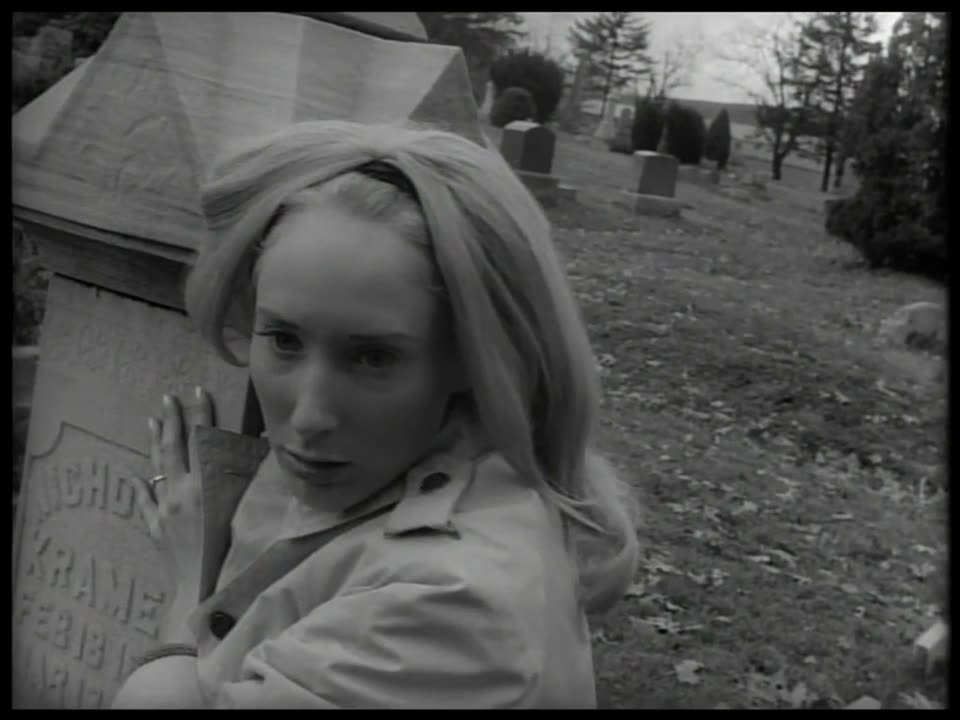
Night of the Living Dead (1968). The old library score lifted out and the dialogue kept: a D drone under the banter, Johnny's taunt left dry, a bass clarinet creep, a sting on the ghoul's face, then near silence before the panic. How it was scored · Score this film yourself Picture: George A. Romero, Image Ten, Public domain. Its original music replaced with a new score by Doseedo; the dialogue is the film's own.
Tracking Pacific Walrus (2012). Two cues for piano, harp and strings under the narration: a D-major theme enters on the first walrus, passes to the cellos and climbs an octave in the violins on the sunlit herd, then returns slower in B minor over the fog. How it was scored · Score this film yourself Picture: U.S. Geological Survey, Public domain. Its original music replaced with a new score by Doseedo; the narration and natural sound are the film's own.
Each through the studio, nothing touched by hand: foley, sound design, a film's music replaced under its dialogue, music under a narrator.
Doseedo does audio post-production for a video, in your browser: upload a cut and an AI composer and sound designer watch it, split its soundtrack into dialogue, music and effects, write an original score where it helps, generate the effects and foley and place each on its moment, keep or replace the video's own music, dip the music under every spoken line and level the whole mix to web, streaming or broadcast loudness. It comes back as the video, the sound alone as a WAV and a music-and-effects WAV; with Pro, the music's parts as stems and an editable Logic Pro, Ableton Live or REAPER session. Prefer your own AI agent? The same loop runs over MCP in ChatGPT or Claude.
What is it for?
What it does, job by job
| Job | What the studio does | Its page |
|---|---|---|
| Original score | An AI composer writes cues where the picture needs music, as notes, and every part is played as its own stem and mixed on the picture. | Soundtrack for video · Film scoring |
| Sound design | Impacts, whooshes, risers, machines and room tone, each generated for the picture and placed on its moment. | Sound effects for video |
| Foley | The sounds of what is on screen: footsteps, cloth, doors, props and hands, with no music. | AI foley generator |
| The video's own music | The soundtrack is split into dialogue, music and effects; the old music is kept, replaced, re-orchestrated or remixed, and the dialogue and effects stay as they were. | Change the music in a video |
| Music under a voice | Every spoken line is found; the music is written thinner under it and dips for it in the mix. | Music under a voiceover |
| Loudness | The whole mix normalized to web (−16), streaming (−14) or broadcast (−23 LUFS), with the true peak under the limit. | Every delivery |
One direction can ask for several at once, such as a score with sound design under it. Say it in the direction box, in your own words.
From your editor
Export the cut from Premiere Pro, Final Cut Pro, DaVinci Resolve or any editor as a video file (MP4 or MOV) and upload that. The studio works from the video file: it does not open your editor's project, and it does not change it.
To hand the editor's own audio tracks to a DAW instead, the clips on their tracks, export an AAF: Premiere Pro to a DAW or DaVinci Resolve to a DAW. Logic Pro and Pro Tools open an AAF themselves; for Ableton Live, FL Studio, REAPER or Bitwig, Doseedo converts it.
What you get back
- The video with its new sound: your picture, copied untouched (MP4 with AAC 320k, or a MOV with 24-bit PCM if that is what you sent).
- The printmaster: the whole mix as a 24-bit, 48 kHz WAV, normalized to the delivery loudness you pick.
- An M&E: music and effects without the dialogue, for a dub or a trailer.
- The score alone as a WAV, and the effects alone as a WAV, when the video has them.
- Dialogue, music and effects stems, when your video had a soundtrack of its own.
- A music cue sheet (CSV): each cue's timecode in and out, its length and its use.
- With Pro, every part of the music as its own stem with its MIDI, and a Logic Pro, Ableton Live or REAPER session of the whole thing, the effects in it on tracks by type of sound.
The scored film, the printmaster, the M&E and the cue sheet are free; every part as its own stem with its MIDI, and the Logic Pro, Ableton Live or REAPER session, come with Pro.
What it costs
Your first film score is free. A free account with a verified email gets a one-time 300 credits for its first score, on top of the 120 a month, and the composer plans that score to fit them, so a long film is scored where it matters most.
After that, watching the film, mixing and delivery stay free. The performances use credits, like any render on Doseedo: 10 credits for every 30 seconds of music for each group of up to six parts, and a flat 20 to split the film's own soundtrack. The composer's writing is charged in credits at what it costs us. A one-minute scene with a mid-size orchestra is usually 60 to 140 credits of performances; with the composer's writing, the panel's estimate for it is 260 to 750 credits in all, and that estimate errs high. The panel shows the estimate for your film before you start, beside what you have left.
The free score is the film: the scored video, the printmaster, the M&E and the cue sheet. Its parts, every part as its own stem with its MIDI and the Logic Pro, Ableton Live or REAPER session, come with Pro.
A free account comes with 120 credits a month. Pro is $12 a month with 2,000. You own what you make, to the extent the law allows (Terms §6.3).
Limits
- Instrument models, not a session orchestra. They are trained on real recordings and each part is checked against its notes, but a live orchestra on a scoring stage is a different thing, and a picky ear will hear it on exposed solos.
- Sung words are clearest in English. A choir or a solo voice sings the words it is given; in other languages they come out less distinct.
- Up to 25 minutes a pass. A longer film is scored reel by reel, each reel as its own film, and its themes do not carry from one reel to the next.
- Long films are scored in up to eight cues per pass, the ones the picture needs most. Ask for more afterwards.
- Splitting a busy soundtrack is not perfect. When the old music is replaced, some of its percussion can stay in the effects, about 10 dB down.
- The voices are not cleaned up. Dialogue and narration are kept exactly as they were: no noise removal, no dialogue editing, no ADR or dubbing. Music and effects are written and mixed around them.
- It places sounds on the moments it finds: cuts, changes of scene, movements it sees and the moments you mark. It does not perform every footstep to picture.
- A video file in, files out. It does not open your Premiere Pro, Final Cut Pro or DaVinci Resolve project, and it does not change it.
AI audio post-production for video
AI audio post-production, audio post for video, AI sound post-production and music and effects for a video name the same job: a cut goes in, and its finished sound comes out, with music, effects, the dialogue kept clear and a delivery loudness, as files you can deliver.
Upload your cut
Drop the video in, say what it needs in the direction box, and get its sound back finished. Your first film score is free with a verified email, up to 300 credits.
Open the studio →FAQ
What is AI audio post-production?
Doing a video's sound after the picture is cut, with AI: the score, the sound effects and foley, the music under the dialogue, the final mix at a delivery loudness, and the files a broadcaster or a platform asks for. Doseedo does those from a video file in the browser.
Can AI do the sound for my video?
Yes. Upload the cut and say what it needs: Doseedo writes the music where it helps, generates the effects and foley and places them on their moments, keeps the voices clear, and mixes it all onto the video.
Does it clean up dialogue or remove noise?
No. The voices are kept exactly as they were, never processed. The music and effects are written and mixed around them, and the music dips under every spoken line.
Can I get an M&E?
Yes. Every delivery has a music-and-effects WAV, everything but the dialogue, for a version in another language. It is free on every plan.
What loudness does it deliver?
Web (−16 LUFS), streaming (−14) or broadcast (−23), with the true peak under the limit. Pick one before you start.
Can it open my Premiere Pro or DaVinci Resolve project?
No. Export the cut as a video file and upload that. To move the editor's own audio tracks into a DAW, export an AAF: Logic Pro and Pro Tools open it, and Doseedo converts it for Ableton Live, FL Studio, REAPER and Bitwig.
Is there a free AI audio post-production tool?
Your first film score is free on Doseedo: a free account with a verified email gets a one-time 300 credits for its first score, on top of the 120 a month, and the composer plans that score to fit them, so a long film is scored where it matters most. After that a free account has 120 credits a month.
Can I use the music and sound commercially?
You own what you make, to the extent the law allows, on every plan including the free one (Terms §6.3).
AI film scoring · an original score for your cut
- For editorsa score cut to your edit
- For directorsyour short, scored
- For advertisersoriginal music to picture
- For composersyour parts, played
- For creatorsan original score, not stock
- Change a video's musickeep the dialogue
- Score a silent filmwall to wall
- Score a film automaticallyfrom upload to finished score
- Video to musicany video, its own soundtrack
- Music under a voiceoverevery line kept clear
- Sound effects for a videoeach on its moment
- Foley for a videowhat is on screen, no music
- Audio post for a videoscore, effects, the mix
- Stems, MIDI and a sessionevery part, in your DAW
- With your own AI agentthe same loop over MCP
- Trailer musicbuilds to the hits
- Animation musiccatches every action
- Documentary musicunder the narration
- The demo reelone film per genre
- Big Buck Bunnyevery call and receipt
- The best AI for film scoringranked, sourced
- Stock music comparedEpidemic, Artlist, ACE Studio …
- Feature-length filmsreel by reel
- Leitmotifs and themeswritten once, brought back
- Revising from notesone cue, one part
- Who owns the scorethe law and the record